Hyphens, Apostrophes, and Spaces in Personalized Jewelry Names
Prepare hyphenated, apostrophized, or spaced names for jewelry engraving by preserving the approved form and confirming current field support first.
When engraving hyphenated names on jewelry, preserve the exact form the person approves and verify that the current product field accepts the needed characters before ordering. Use the same care for apostrophes and spaces. Do not remove punctuation silently; ask a product-specific question or choose an approved alternative with the person’s consent.
Create one authoritative name record
Ask the person or a trusted family source for the exact display name in writing. Record capitalization, spacing, hyphens, apostrophes, accent marks, and preferred short forms. A legal document is not automatically the best source for a personal engraving; use the form the person wants shown.
Copy the name into a plain-text note and read it character by character. Distinguish a straight apostrophe from a decorative smart mark only when the field makes that technical difference relevant. The visible identity is the priority.
Label earlier variants as drafts. A group chat containing three spellings is not an approval record.
Include a visible-space check. Names such as “Mary Ann” and “MaryAnn” are not interchangeable, and leading or trailing spaces copied accidentally can make a form harder to review. Preserve intentional internal spaces while removing only accidental whitespace around the field.
Test the current field without changing the name
Open the exact product and selected configuration. Enter the approved name, then check whether the field accepts every character and whether any visible instruction addresses punctuation. A general technical input ceiling does not promise that every long name will fit clearly on every engraved element.
If the form rejects a character, do not swap it for another silently. Save the product name, field label, exact requested spelling, and the behavior you observed. Use that information to ask for clarification before placing the order.
Take a screenshot of the relevant field when useful, with unrelated private information removed. Pair it with the plain-text approved name so support can see both the requested value and what the form did. Do not submit the screenshot as an engraving instruction by itself.
The current FAQ and product-specific support path are more reliable than assuming a different necklace’s field behaves the same way.
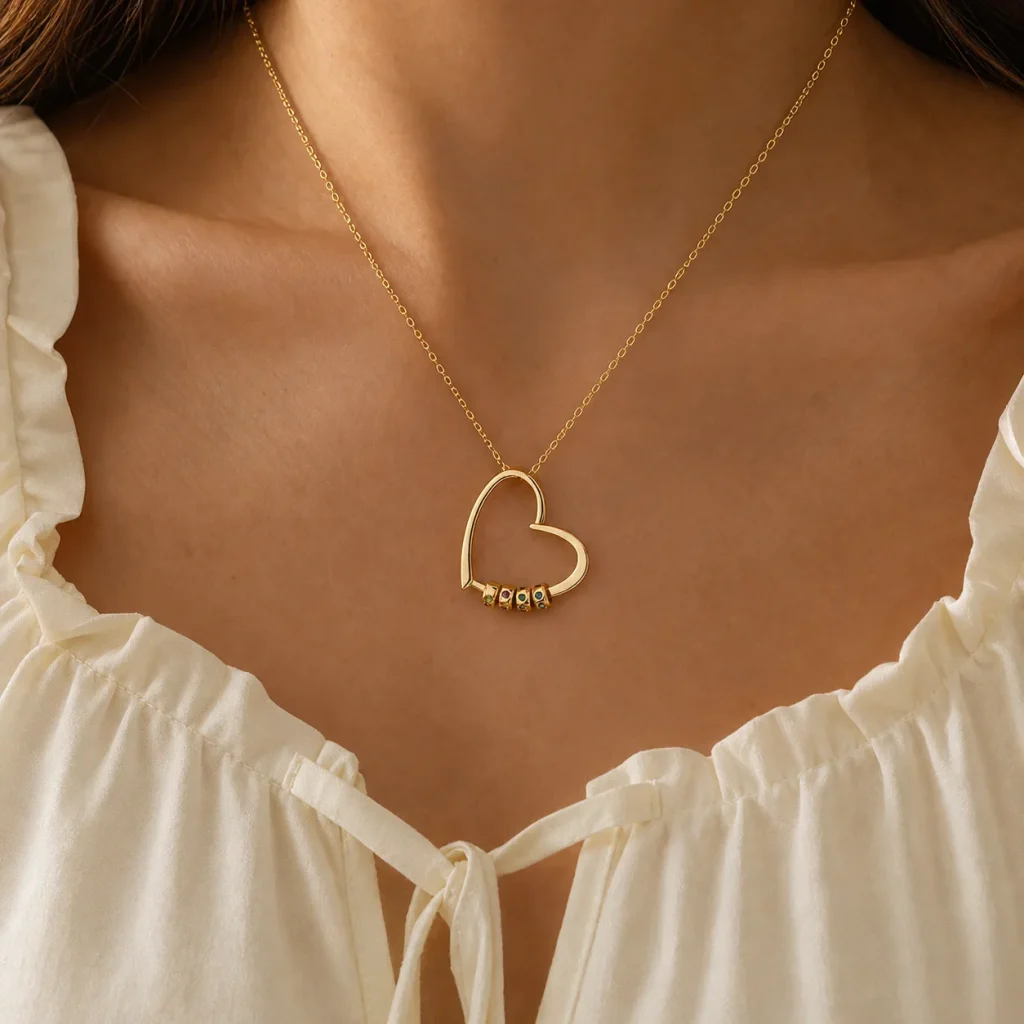
Understand the Gathered Hearts structure
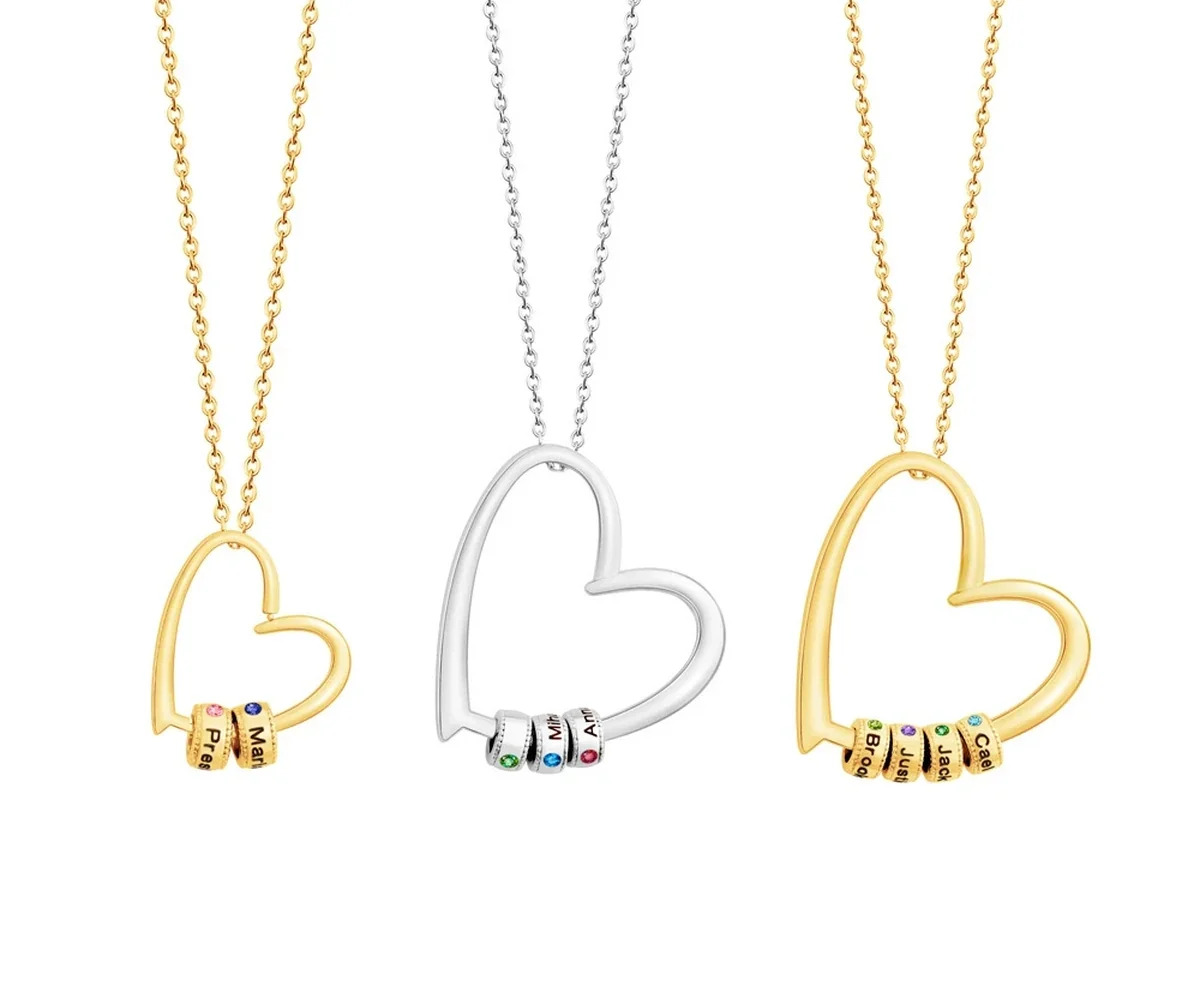
The Gathered Hearts Name Necklace supports one to eight engraved name beads. Its petite 22 mm pendant is configured for one to four beads and its classic 33 mm pendant for five to eight. It does not currently include birthstone-month fields.
Each approved name belongs to its own bead. A longer hyphenated name does not add another bead automatically, and two names separated by a space should not be treated as one person unless that is the intended display text.
The product offers polished or crystal-accent bead treatments and three tones. Those appearance choices do not alter the spelling requirement.
At a larger bead count, keep the ordering list numbered. A punctuation review can draw attention to one unusual name while another ordinary name shifts position. Check identity, order, and total count as separate tasks.
Use an explicit alternative process
If the exact form is unsupported or likely to be unclear, present alternatives to the person: approved short form, initials, another familiar name, or a different product. Do not choose for them.
Record the approved alternative with a note explaining why it replaced the first version. This prevents another family organizer from “correcting” it back during the final review.
The engraving guide can help compare full names and shorter forms, while the personalization process keeps the final entry aligned with the product.
Proofread punctuation in two passes
First compare the submitted name with the authoritative record one character at a time. Then read the whole name for recognition. A character-level pass catches a missing hyphen; a whole-name pass catches an accidental line break or duplicated word.
Have a second reviewer work from the source record without being told where the expected issue is. They should also check bead count, order, pendant size, treatment, and tone so punctuation does not distract from another field.
Save the submitted version. A separate digital preview is not part of the current promise, so the form should contain the final approved text.
Read the confirmation again after submission and compare it with the source record. If the stored text appears different, follow the current support process promptly rather than assuming the engraving team will infer the intended punctuation.
Common questions
Should I remove a hyphen to save space?
Only if the person approves that alternative and the current product supports it. Punctuation can be part of the name, not optional decoration.
Can I type two names on one bead with a space?
Do not assume so. Each Gathered Hearts bead is intended for one name. Choose the correct bead count and ask if an unusual display is essential.
What if a copied apostrophe changes shape?
Preserve the intended spelling, note the character issue, and confirm current field support before ordering. Do not submit an uncertain substitute.
Keep the person’s name intact
A punctuation mark or space may carry identity, pronunciation, and family history. Use one approved record, test the exact current field, ask when it fails, and make any alternative a consented choice. Accurate personalization begins by treating every character as information rather than an obstacle to be edited away.